What a Custom Block Is
A block you define: a name in the inserter, the fields an editor fills in, and the HTML that ends up on the page. A pricing table, a testimonial, a call to action, a map with your own defaults.
Most sites need a handful of them. The layout that repeats across landing pages. The callout an editor rebuilds by hand every time. The card grid that has to look the same on all forty pages, and does not.
The usual alternatives age badly. A shortcode nobody remembers the arguments for. An HTML block that breaks the first time a colleague edits it. A page builder that owns your markup and will not give it back.
A custom block stays a WordPress block. The values live in the post, the markup is the one you wrote, and an editor who has never opened the builder picks it from the inserter like any other block.
Three Ways to Build One
All three ship a working block. They differ in what you maintain afterwards.
React and a Build Step
@wordpress/create-block scaffolds a plugin with JavaScript, a bundler and a package.json. Full control over the editor, and a toolchain to keep alive.
Registration in PHP
Register the block in PHP and render it from a template. No React, but the field interface is yours to write or to bring from another plugin.
A Visual Builder
Describe the block in the builder: name, icon, controls. Lazy Blocks registers it and renders your template with the values an editor typed in.
How It Works
Build the block once in the builder, then use it like any other block.
Describe the Block
A title, an icon, a category, and the post types where editors can use it.
Add the Controls
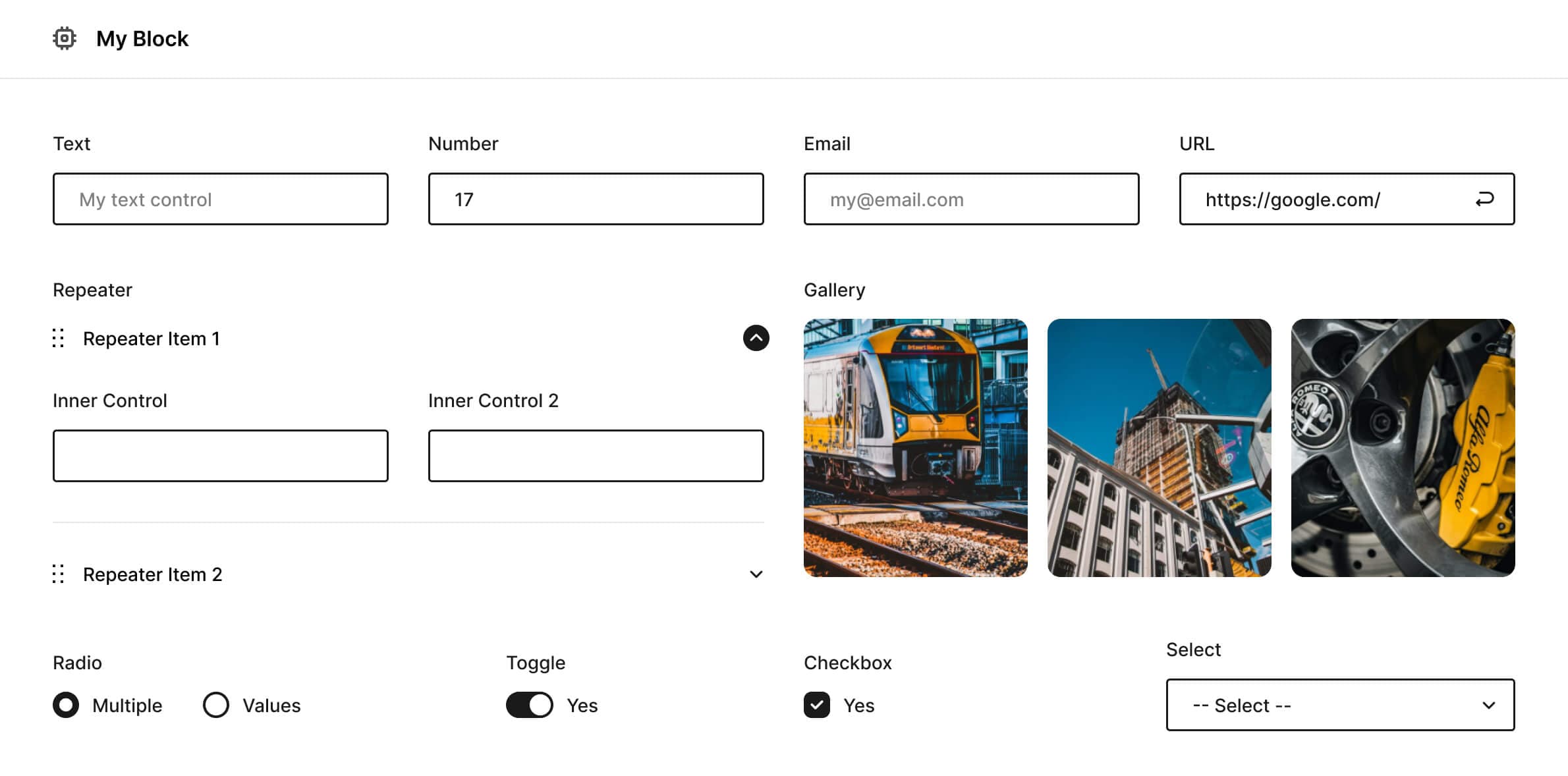
Around thirty of them, from a text field to galleries and repeaters. Each one becomes an attribute.
Write the Output
HTML with Handlebars for a static block, PHP when it has to run a query.
What Comes With It
The free plugin covers everything below. The documentation has the details.
- Around Thirty ControlsText, textarea, image, gallery, file, color picker, range, select, checkbox, date, code editor, repeater and inner blocks.
- PHP and Handlebars OutputWrite plain HTML for a static block, or PHP when it has to run a query.
- Templates in Your ThemeKeep block markup in theme files, under version control with the rest of your code.
- Values in Post MetaSaved control values are readable from post meta, so your theme can use them outside the block.
- Your Own ControlsRegister a control type of your own when the built-in set does not cover what a block needs.
- Export to PHP or JSONMove a block to another site, or commit it to a theme or plugin.
- Hooks for DevelopersPHP and JavaScript filters cover registration, rendering and the control interface.
- WPML SupportText controls are translatable, so a block works on a multilingual site.
What People Say
Reviews from the WordPress.org plugin page.