Install Lazy Blocks Pro version
Congratulations on signing up for Lazy Blocks Pro. The plugin arrives as a zip file with your order, installs like any other WordPress plugin, and needs your license key for automatic updates.
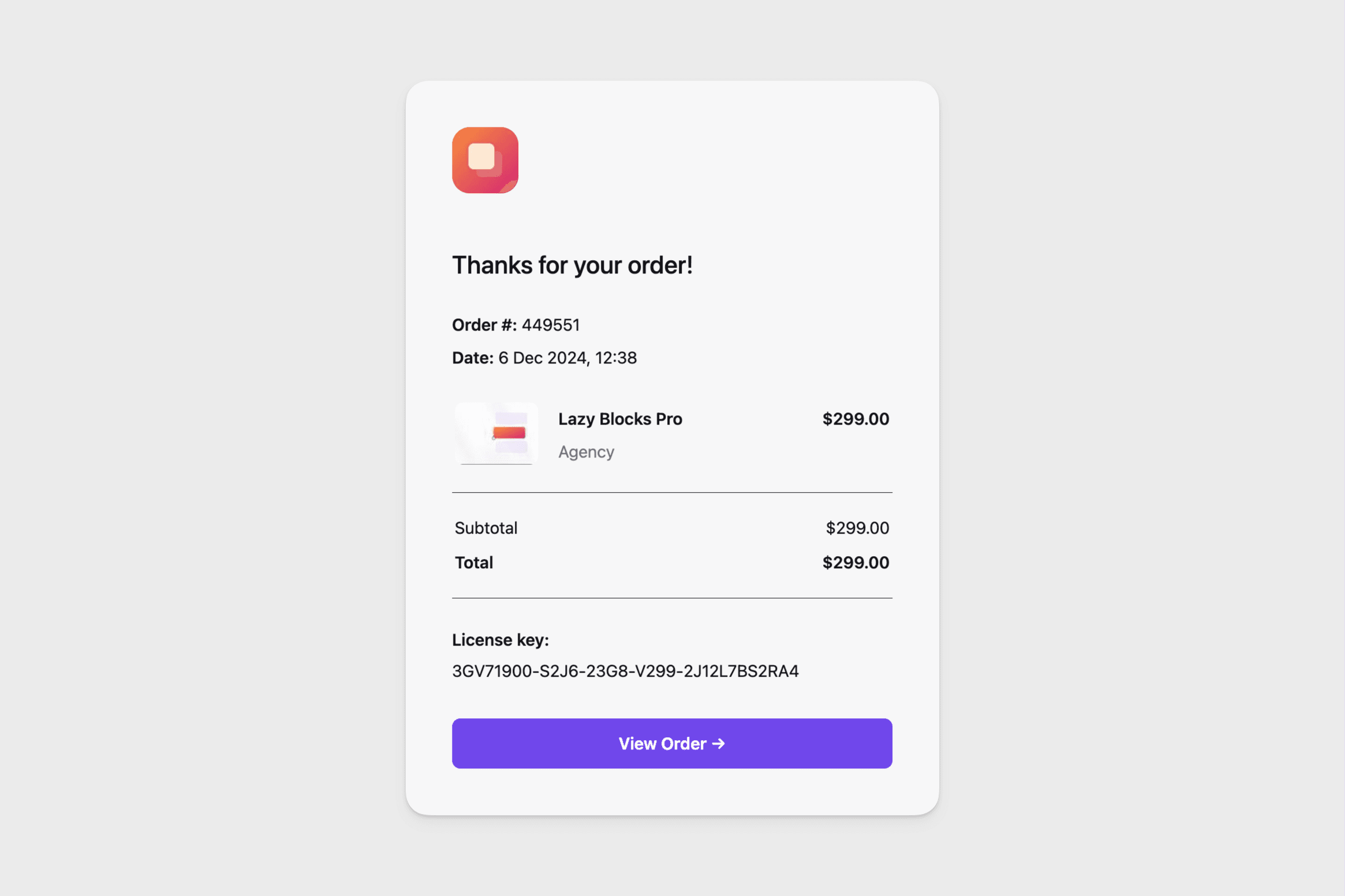
Download from Email
Once you've purchased the Lazy Blocks Pro plugin, you will receive the full information about this purchase in your email. There will be a download link, license key and a link to your account page.
Just click on the link to download the plugin archive. If you can't download it, follow the next step.
Download from Account
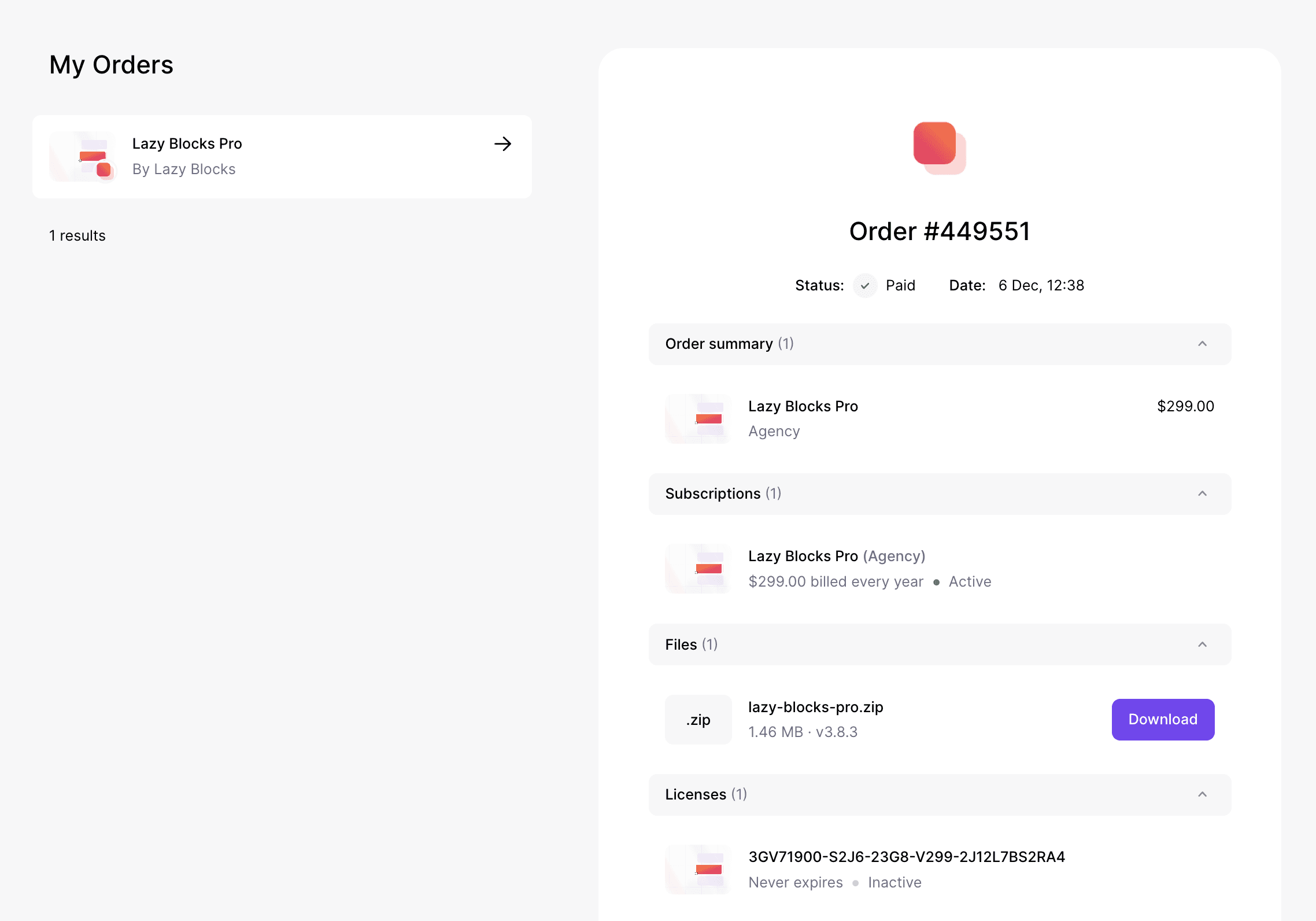
- After purchasing Lazy Blocks Pro, go to your Lemon Squeezy orders
- Once logged in, you will see all your orders. Select the Lazy Blocks Pro order page.
- On the right side you will see files to download and license key
Install
- Head over to your site, to the WordPress dashboard
- Open Admin Menu → Plugins and click on the Add New button
- Choose the zip file you have just downloaded. Click on install and activate
Free and Pro side by side
Lazy Blocks Pro is an independent plugin and does not need the free one. Keeping both active is the normal state from free version 4.4.1 onwards. Nothing is switched off, and two entries in the Plugins list mean the setup is correct.
A free copy older than that cannot run next to Pro, because it declares the same core classes a second time. Activating either plugin deactivates the free one and prints a warning on the Plugins screen, once:
This version of Lazy Blocks is too old to run next to Lazy Blocks Pro. We've automatically deactivated Lazy Blocks.
A pre-release of 4.4.1 counts as 4.4.1, so an alpha, a beta or a release candidate of it is new enough. Update the free plugin and activate it again to get both running.
Activate
To receive automatic updates of the Pro plugin, activate your license:
-
After installing the Lazy Blocks Pro, go to your Lemon Squeezy orders
-
Select the Lazy Blocks Pro order page.
-
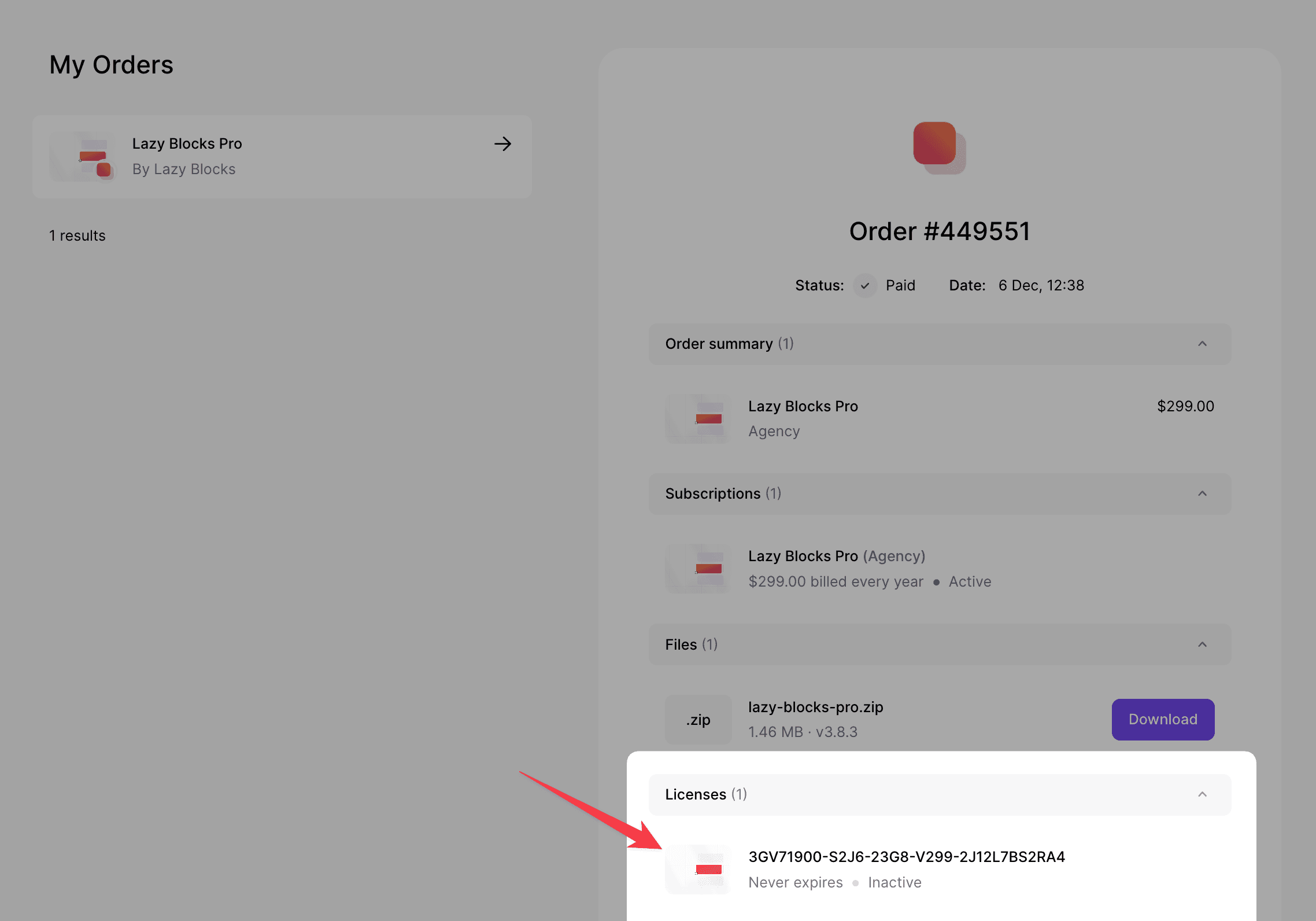
Copy the license key
-
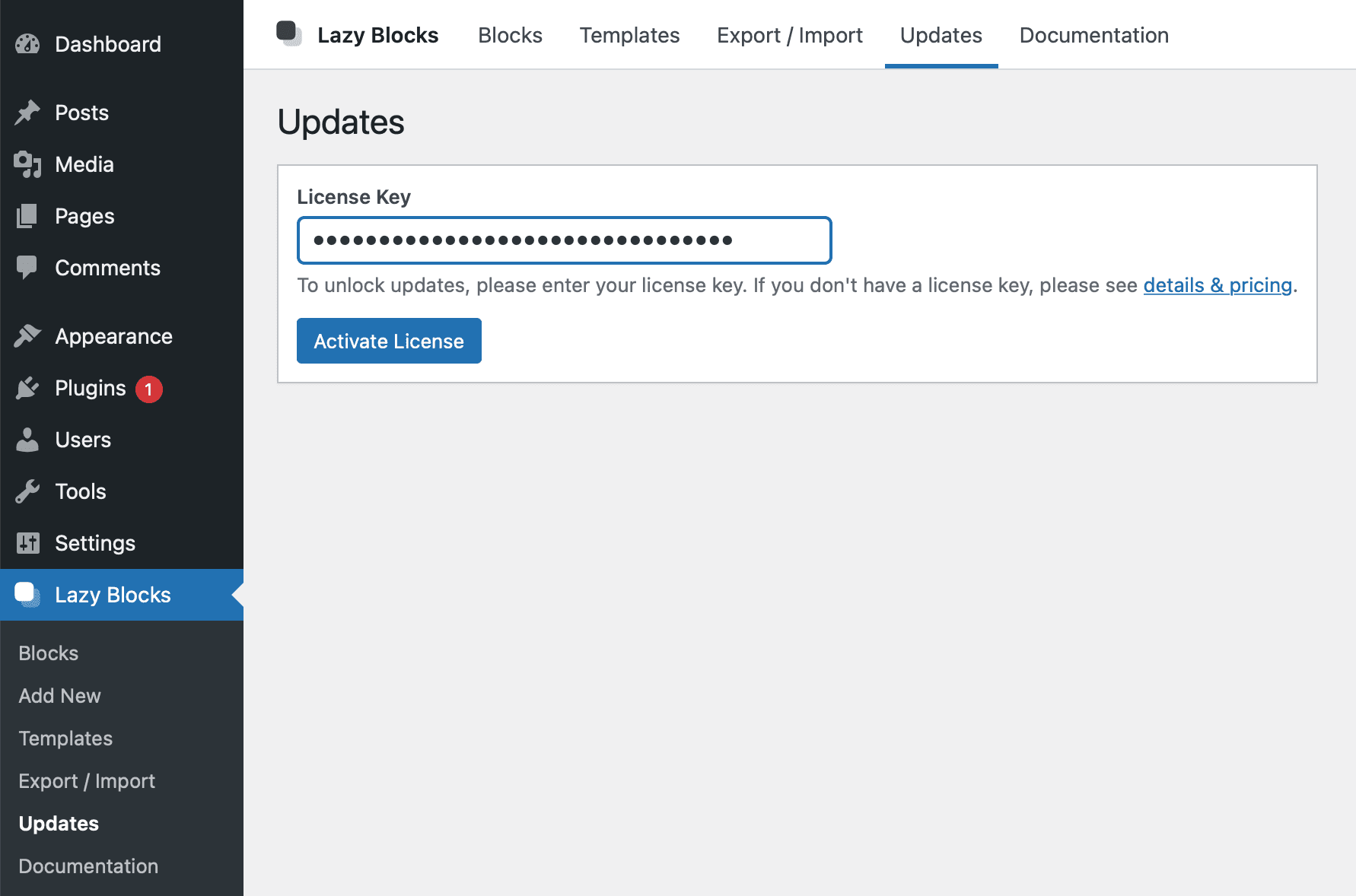
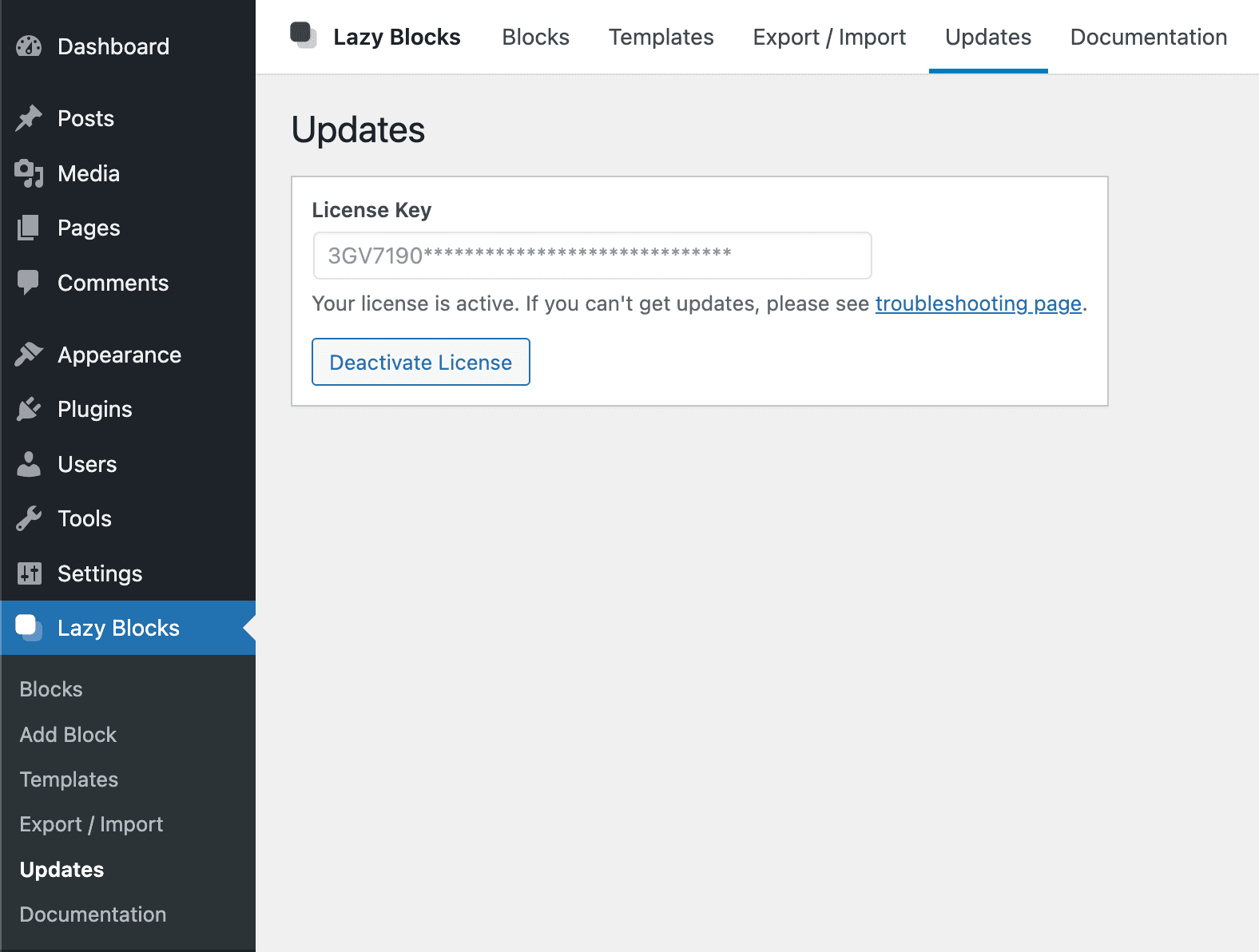
Head over to your site, to the WordPress dashboard, and click on Admin Menu → Lazy Blocks → Updates
-
Insert your license key and push the Activate License button
Legacy Paddle + nkdev.info
Previously we used nkdev.info with Paddle to make purchases and generate licenses. There are still a lot of users who use the plugin and license from this method, so the sections below will be helpful for them.
Download from Email
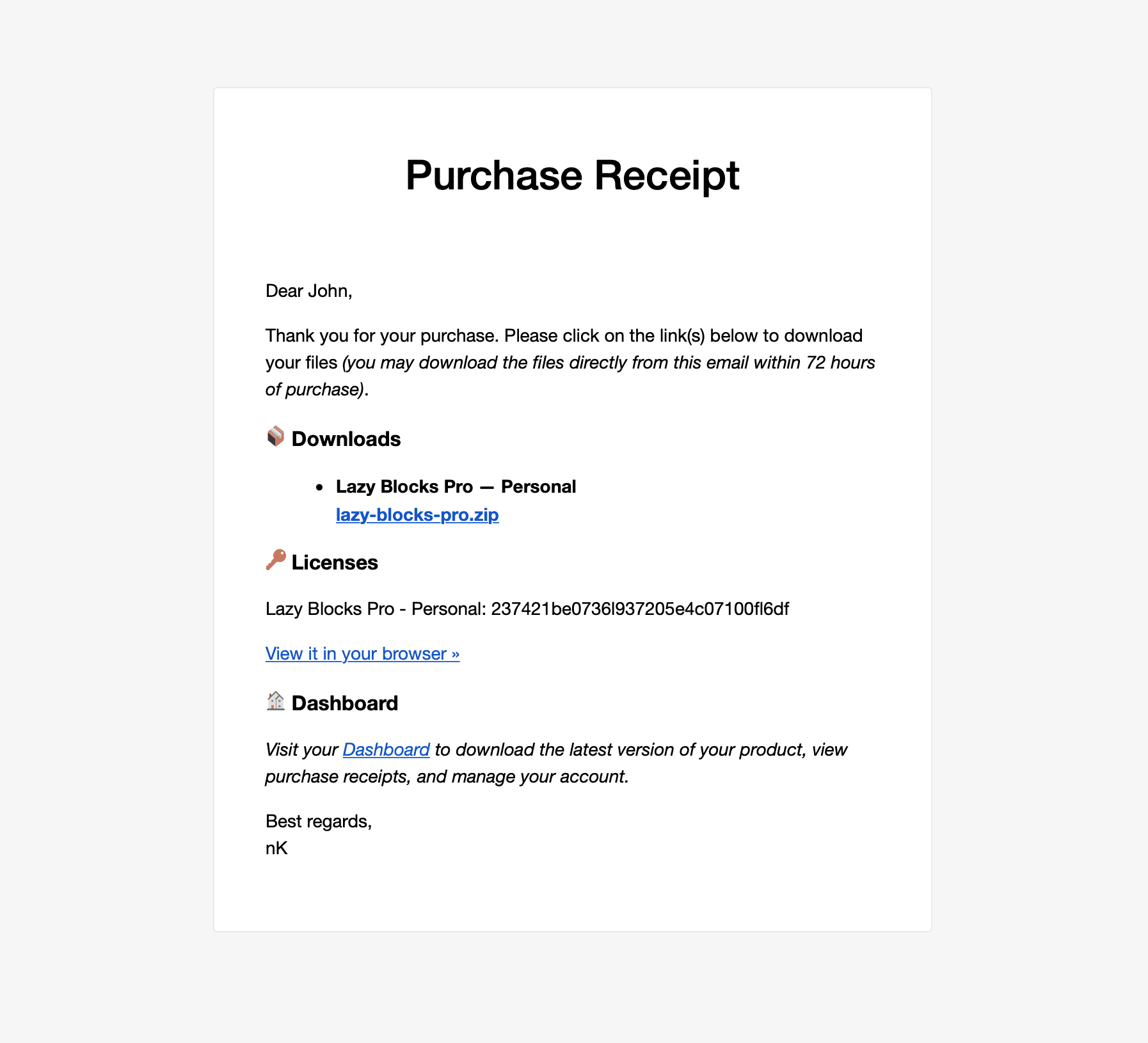
Once you've purchased the Lazy Blocks Pro plugin, you will receive the full information about this purchase in your email. There will be a download link (available for 72 hours), license key and a link to your account page.
Just click on the link to download the plugin archive. If you can't download it, follow the next step.
Download from Account
- After purchasing Lazy Blocks Pro, go to your account dashboard
- Login with the details you received in the email after purchase
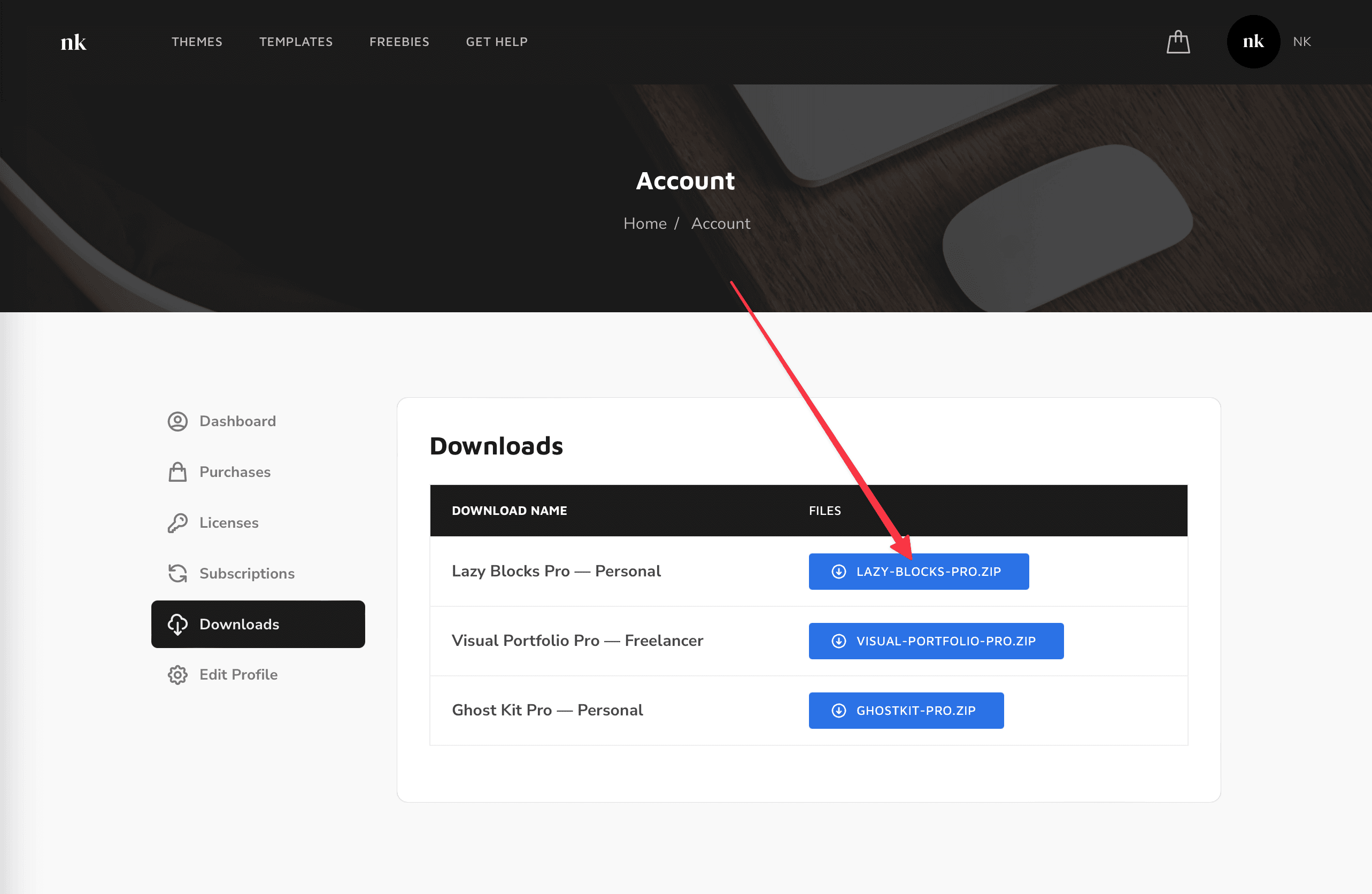
- Once logged in, you will reach the Account page. Click on the Downloads button on the left side of the Account section and download the .zip file to your desktop
Install
- Head over to your site, to the WordPress dashboard
- Open Admin Menu → Plugins and click on the Add New button
- Choose the zip file you have just downloaded. Click on install and activate
Activate
To receive automatic updates of the Pro plugin, activate your license:
- After installing the Lazy Blocks Pro, go to your account dashboard
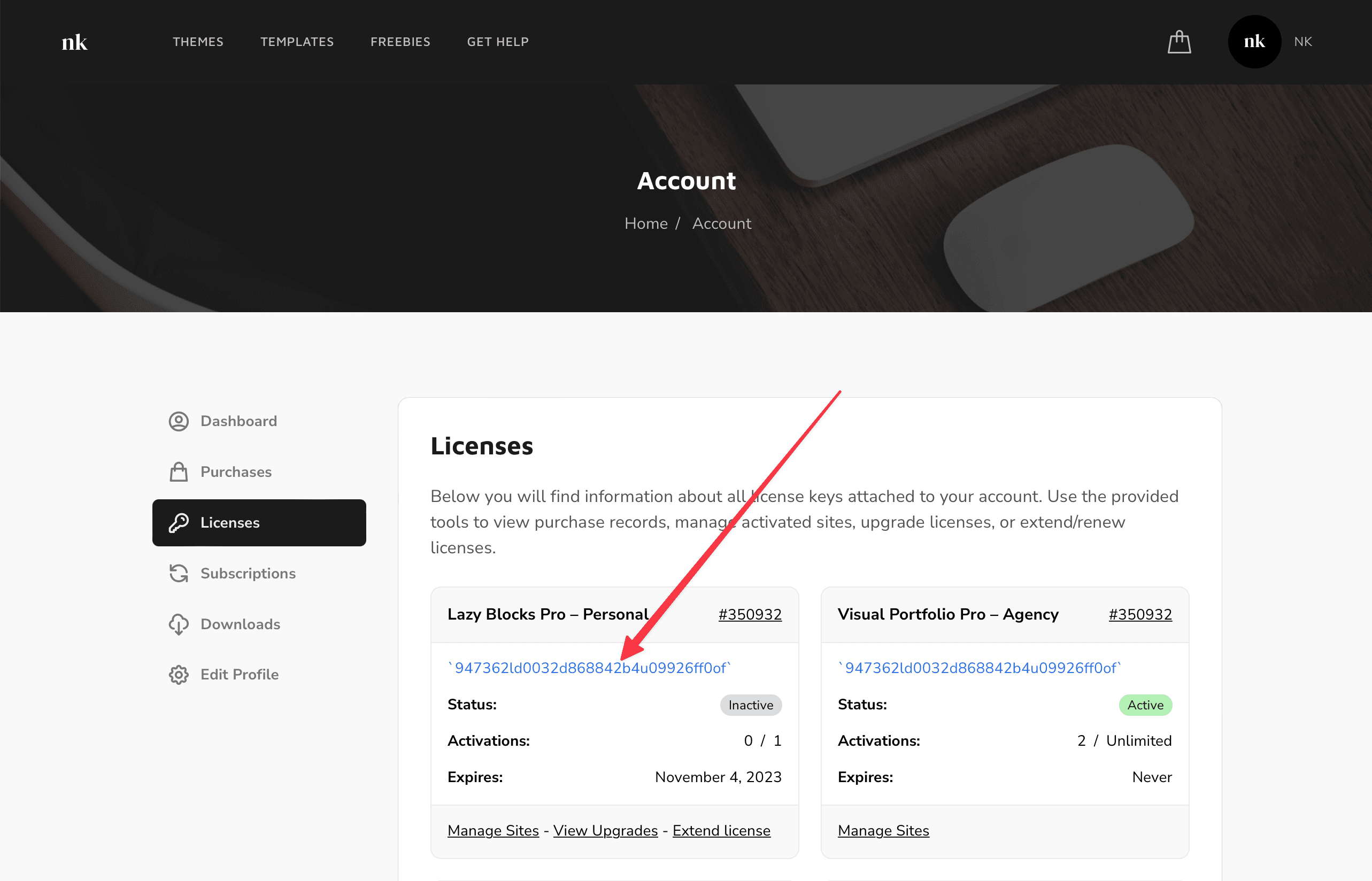
- Click on the Licenses button on the left side of the Account section and copy your license key to the clipboard
- Head over to your site, to the WordPress dashboard, and click on Admin Menu → Lazy Blocks → Updates
- Insert your license key and push the Activate License button