Radio
Radio control lets you add a set of options where users can select one choice. Each option can have a label for display and a value for storing.

Control Settings
- Choices (
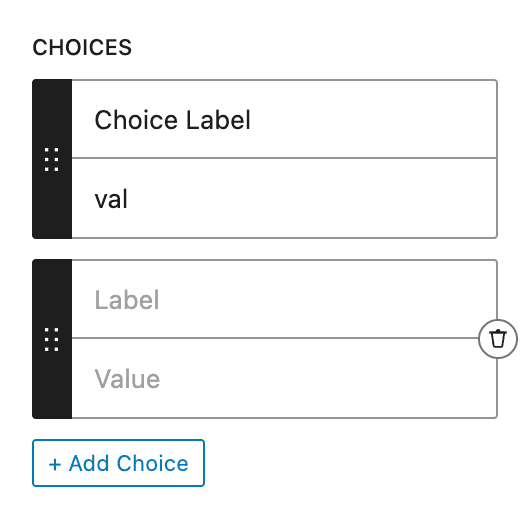
choices) - aLabeland aValuefor each option, added with + Add Choice. Empty by default - Allow Null (
allow_null) - off by default. On, a required Radio accepts an empty value. It adds no clear option to the buttons themselves, unlike Select, which gains a-- Select --entry - Output Format (
output_format) -Valueby default:Value- Returns option valueLabel- Returns option labelBoth (Array)- Returns both value and label
To add options, fill the Choices setting:
Usage
Basic Usage
<div class="option">
  <?php echo esc_html( $attributes['control_name'] ); ?>
</div><div class="option">
{{control_name}}
</div>With Array Output Format
<?php if ( $attributes['control_name'] ) : ?>
  <div class="option">
    <span class="label"><?php echo esc_html( $attributes['control_name']['label'] ); ?></span>
    <span class="value"><?php echo esc_html( $attributes['control_name']['value'] ); ?></span>
  </div>
<?php endif; ?><div class="option">
<span class="label">{{control_name.label}}</span>
<span class="value">{{control_name.value}}</span>
</div>Post Meta
<div class="option">
  <?php echo esc_html( get_lzb_meta( 'control_meta_name' ) ); ?>
</div>
Use meaningful values in your choices that can be used as CSS classes or for conditional logic.