Date Time Picker
Date Time Picker control allows users to select date and/or time values. The control provides three variants to match your needs.
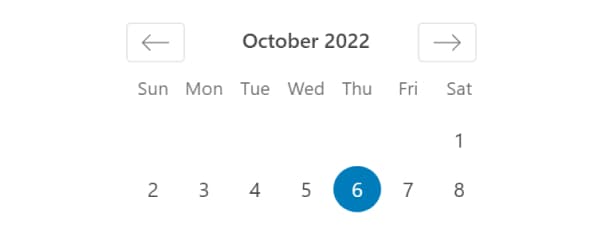
Available Variants
Choose from three picker types:
- Date picker
- Time picker
- Date + Time picker
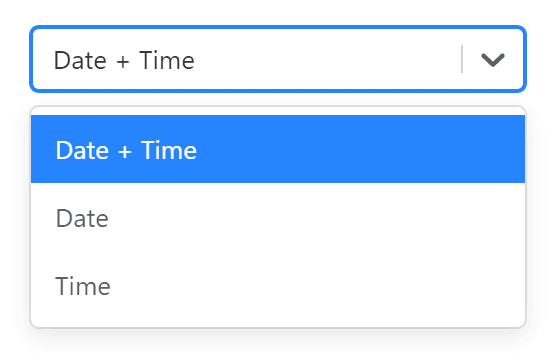
The control saves date in YYYY-MM-DDTHH:ii:ss format regardless of the display format.
Control Settings
- Variants - Choose between
Date picker,Time pickerorDate + Time picker
Usage Examples
PHP
<?php
$date = $attributes['control_name'];

// Date + Time format
echo '<p>' . date_i18n( 'F j, Y H:i', strtotime( $date ) ) . '</p>';

// Date only format
echo '<p>' . date_i18n( 'F j, Y', strtotime( $date ) ) . '</p>';

// Time only format
echo '<p>' . date_i18n( 'H:i', strtotime( $date ) ) . '</p>';
Handlebars
{{! Date + Time format }}
<p>
  {{date_i18n "F j, Y H:i" control_name}}
</p>

{{! Date only format }}
<p>
  {{date_i18n "F j, Y" control_name}}
</p>

{{! Time only format }}
<p>
  {{date_i18n "H:i" control_name}}
</p>
Post Meta
<?php
$date = get_lzb_meta( 'control_meta_name' );

// Date + Time format
echo '<p>' . date_i18n( 'F j, Y H:i', strtotime( $date ) ) . '</p>';

// Date only format
echo '<p>' . date_i18n( 'F j, Y', strtotime( $date ) ) . '</p>';

// Time only format
echo '<p>' . date_i18n( 'H:i', strtotime( $date ) ) . '</p>';
Common Format Patterns
| Format | Output | Description |
|---|---|---|
F j, Y H:i | March 1, 2024 13:45 | Full date and time |
F j, Y | March 1, 2024 | Full date |
m/d/Y | 03/01/2024 | Short date |
H:i | 13:45 | 24-hour time |
g:i a | 1:45 pm | 12-hour time |
Use WordPress date_i18n() function to ensure proper date localization in your output.