URL
Need more link options like title, target, nofollow, or CSS classes? Check out the Link control available in the Pro version.
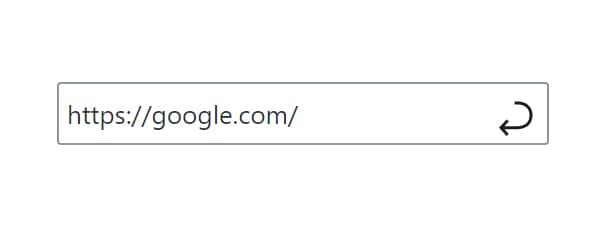
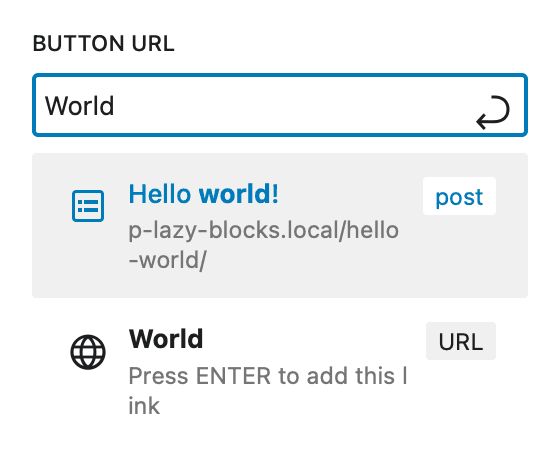
URL control provides a link input field with post/page search functionality. Users can enter custom URLs or search and select from existing WordPress content.
The control supports searching through your site's content - just start typing the post or page name:
Control Settings
Pro adds one panel of three settings to the control.
- Link Suggestions (
link_suggestions) -Automaticby default, which searches every viewable post type.Disable suggestionsturns the search off, and picking one post type limits the search to it - Show Initial Suggestions (
show_initial_link_suggestions) - off by default. Lists suggestions before anything is typed, and the row is hidden while Link Suggestions isDisable suggestions - Rich Preview (
rich_preview) - off by default. Shows the target's site title and image inside the field
Usage Examples
Basic Link
<?php if ( $attributes['control_name'] ) : ?>
    <a href="<?php echo esc_url( $attributes['control_name'] ); ?>"
       class="button">
        Visit Link
    </a>
<?php endif; ?>{{#if control_name}}
<a href="{{control_name}}" class="button">
Visit Link
</a>
{{/if}}Link with Custom Text
<?php
$url = $attributes['control_name'];
if ( $url ) : ?>
    <div class="cta-button">
        <a href="<?php echo esc_url( $url ); ?>"
           class="button"
           target="_blank"
           rel="noopener noreferrer">
            Learn More
        </a>
    </div>
<?php endif; ?>
Post Meta
<?php
$url = get_lzb_meta( 'control_meta_name' );
if ( $url ) {
    echo '<div class="link-wrapper">';
    printf(
        '<a href="%1$s" class="button">%2$s</a>',
        esc_url( $url ),
        esc_html__( 'Read More', 'your-text-domain' )
    );
    echo '</div>';
}
?>- Always use
esc_url()when outputting URLs to prevent XSS attacks. - Consider adding
target="_blank"andrel="noopener noreferrer"for external links.