Select
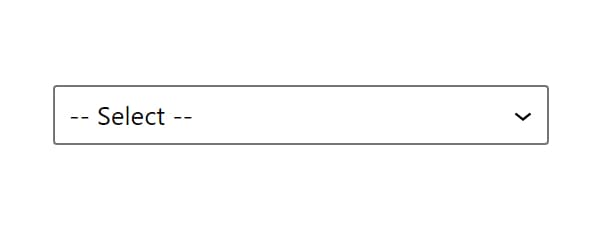
Select control provides a dropdown menu with customizable options. It supports both single and multiple selections with flexible output formats.
Control Settings
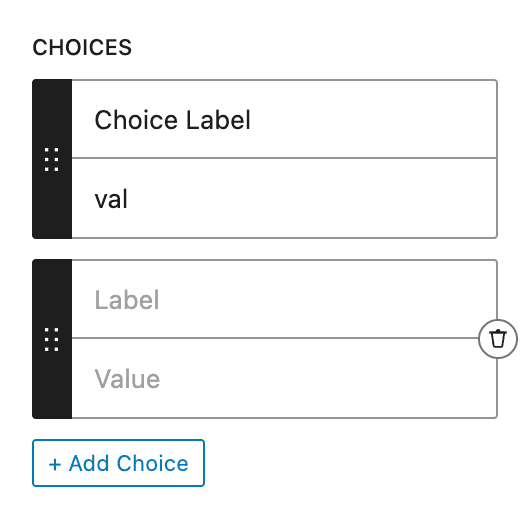
- Choices (
choices) - aLabeland aValuefor each option, added with + Add Choice. Empty by default - Allow Null (
allow_null) - off by default. On, a-- Select --option with an empty value is put at the top of the list, and a required Select accepts that empty value - Multiple (
multiple) - off by default. On, the dropdown accepts several options and the control stores an array - Output Format (
output_format) -Valueby default:Value- Returns option valueLabel- Returns option labelBoth (Array)- Returns both value and label
To add options, fill the Choices setting:
Usage Examples
Single Selection
<div class="layout-<?php echo esc_attr( $attributes['control_name'] ); ?>">
  Content
</div><div class="layout-{{control_name}}">
Content
</div>Multiple Selection
<?php if ( $attributes['control_name'] ) : ?>
  <ul class="features">
    <?php foreach( $attributes['control_name'] as $value ): ?>
      <li class="feature-<?php echo esc_attr( $value ); ?>">
        <?php echo esc_html( $value ); ?>
      </li>
    <?php endforeach; ?>
  </ul>
<?php endif; ?>{{#if control_name}}
<ul class="features">
{{#each control_name}}
<li class="feature-{{this}}">{{this}}</li>
{{/each}}
</ul>
{{/if}}Array Output Format
<?php if ( $attributes['control_name'] ) : ?>
  <div class="option-<?php echo esc_attr( $attributes['control_name']['value'] ); ?>">
    <?php echo esc_html( $attributes['control_name']['label'] ); ?>
  </div>
<?php endif; ?>{{#if control_name}}
<div class="option-{{control_name.value}}">
{{control_name.label}}
</div>
{{/if}}Post Meta
<?php
$value = get_lzb_meta( 'control_meta_name' );
if ( $value ) {
    echo '<div class="option-' . esc_attr( $value ) . '">';
    echo esc_html( $value );
    echo '</div>';
}
?>
Use meaningful values that can work as CSS classes or conditional identifiers. For example: 'grid-layout', 'list-layout'.