Multilingual
WPML translates the values of a block's text controls along with the rest of the post, once translation is turned on for each control.
Setting up translation
1. Enable translation on a control
Each control needs translation enabled manually:
- Edit your block
- Find the control you want to translate
- Enable the
WPML Translationtoggle
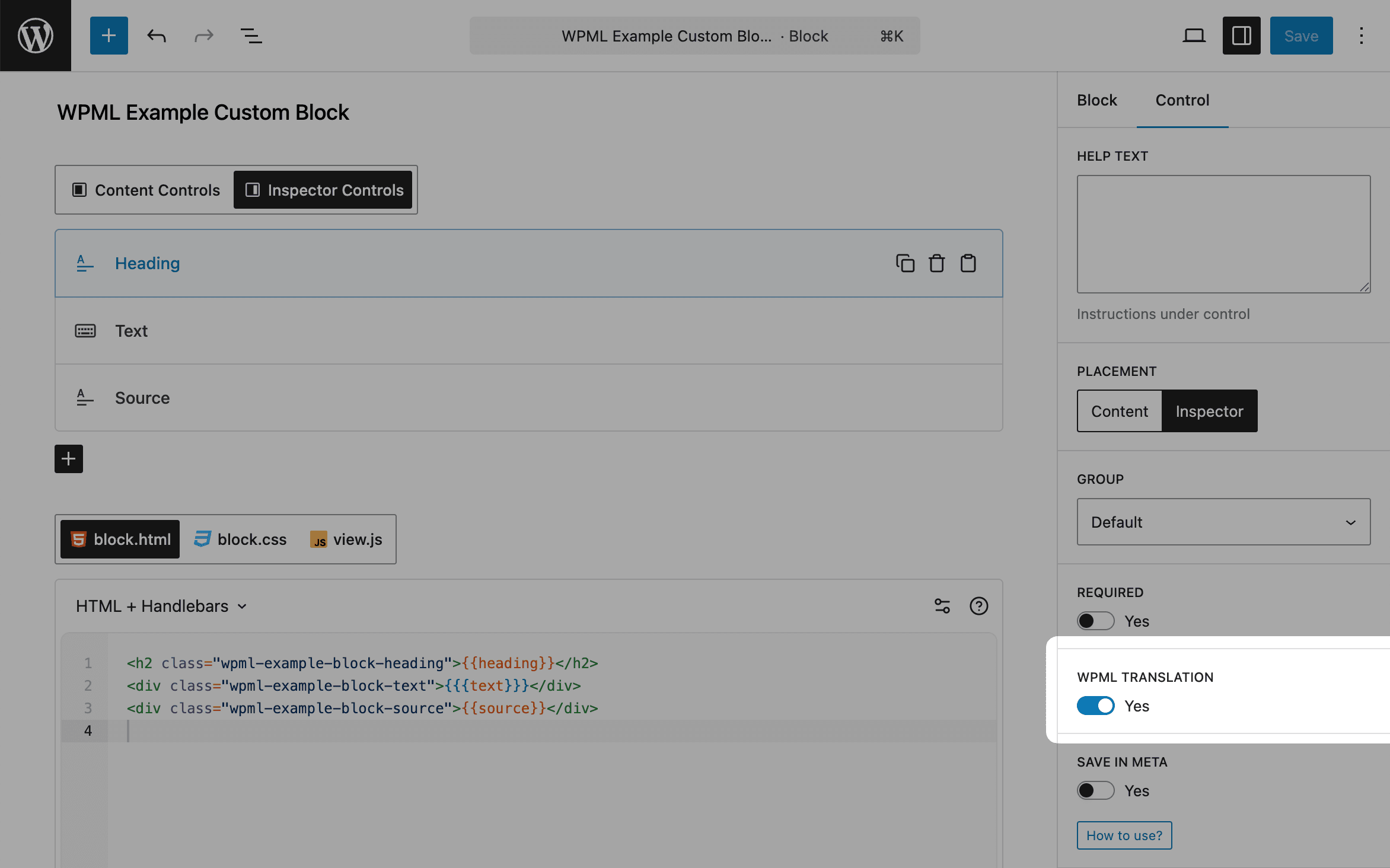
The toggle is offered on eight control types: Classic Editor, Code Editor, Date Time, Email, Rich Text, Text, Textarea and URL. Every other type hides the setting, and its value never reaches WPML.
2. Translate content
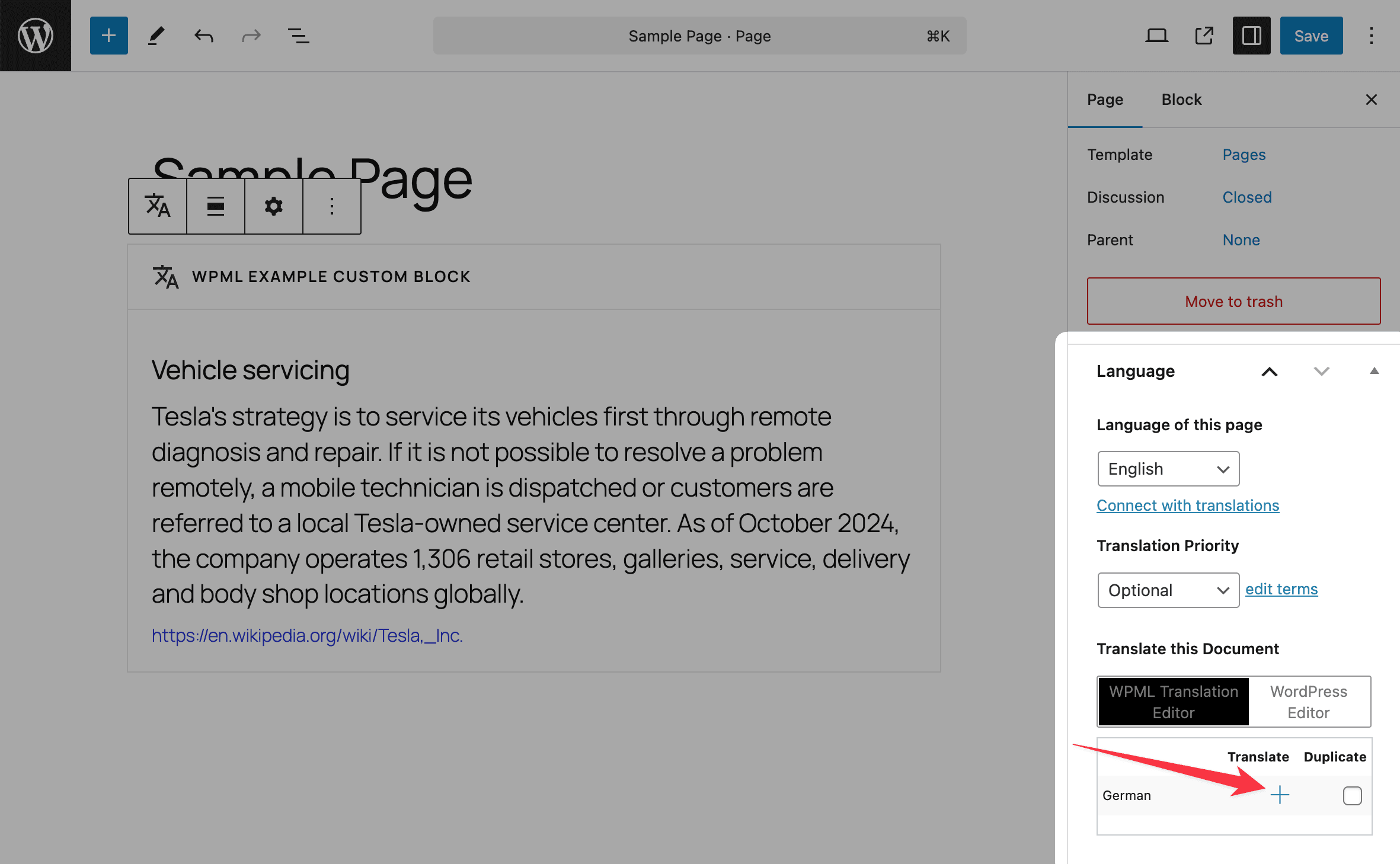
Once your blocks are translation-ready:
- Open the page with your block
- Find the
Languagesettings in thePagepanel
3. Manage translations
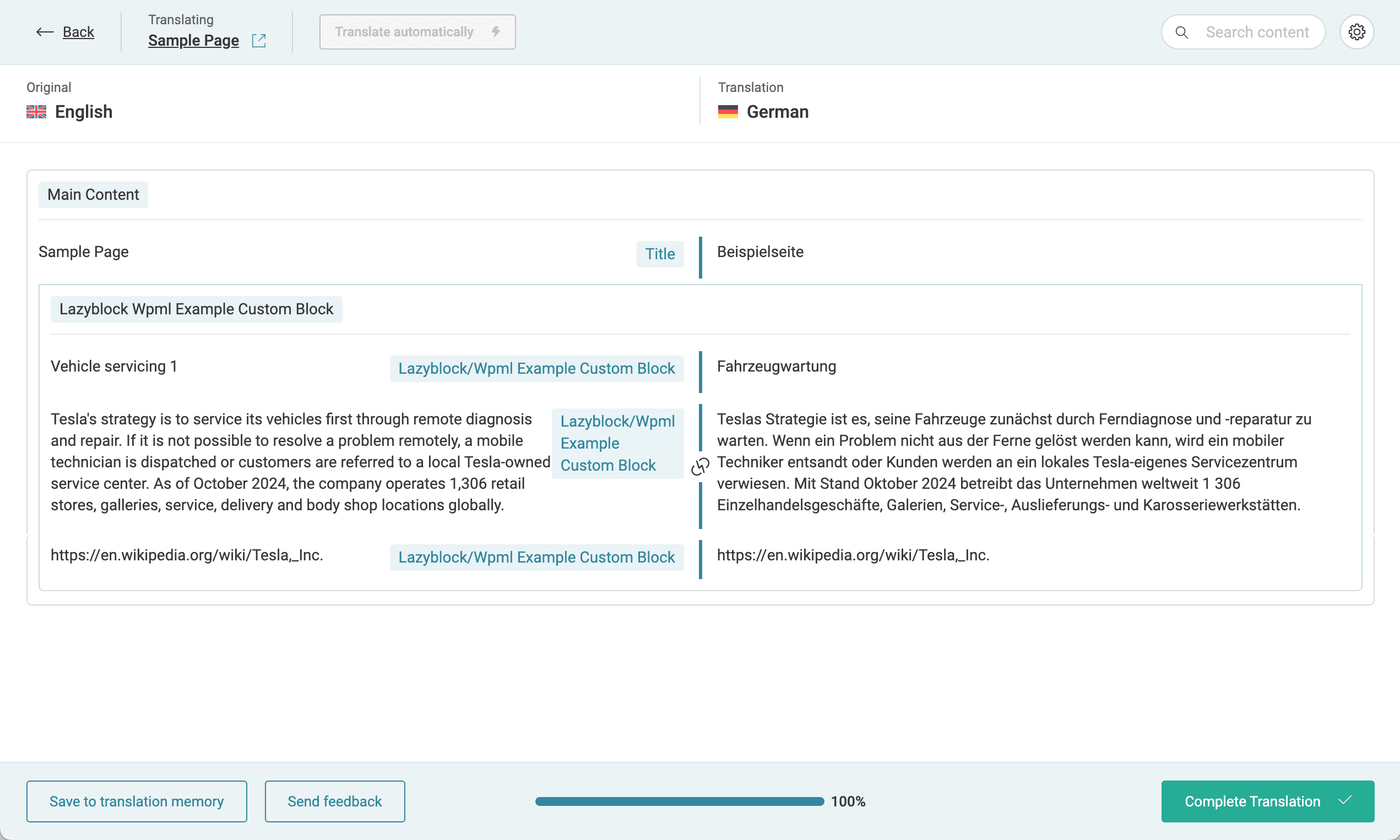
Use WPML's interface to translate your block content:
4. View results
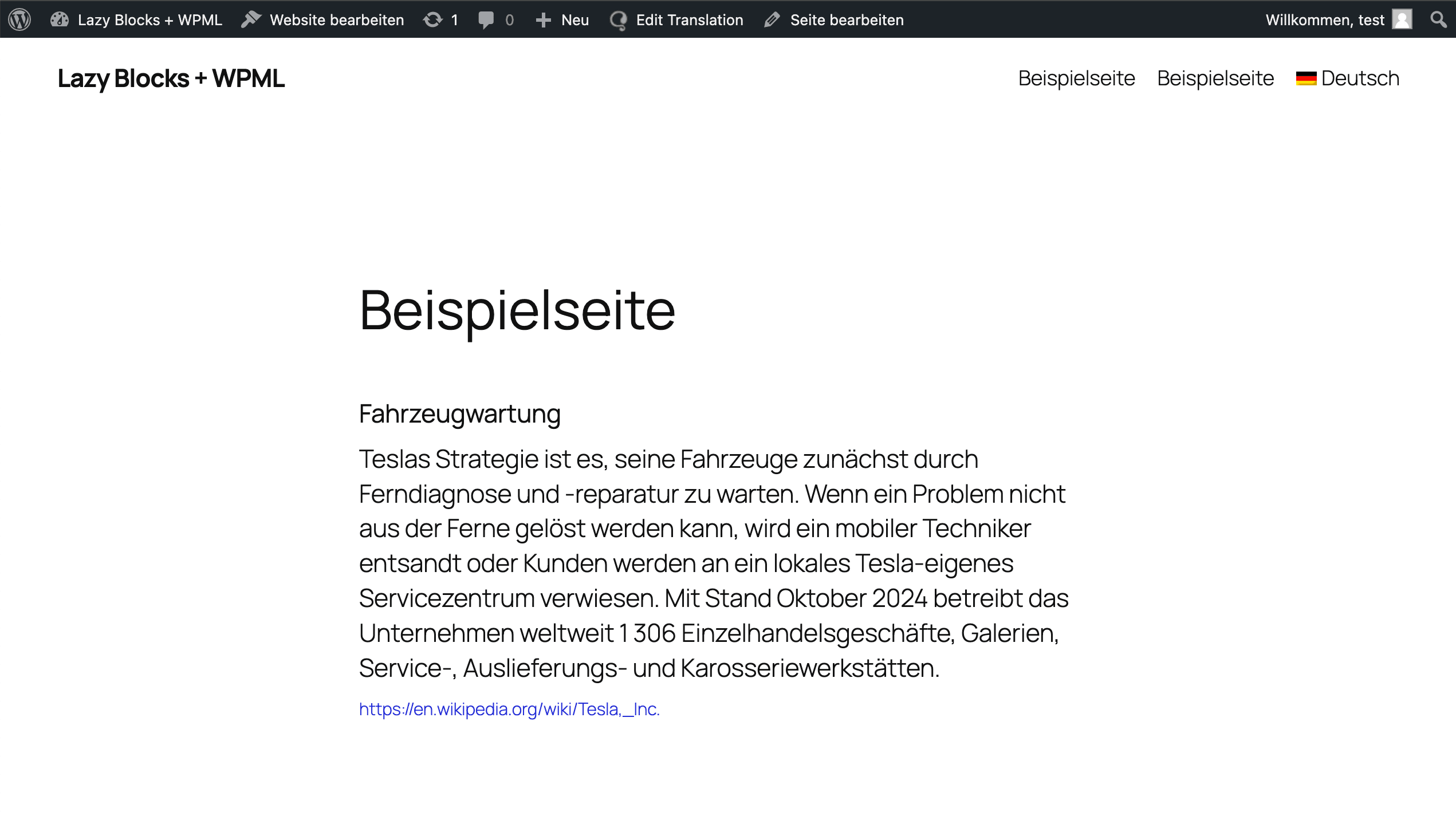
Your translated block will appear in the selected language:
Repeaters
A repeater has no WPML Translation toggle of its own, and the plugin never reads one. Turn translation on for any control inside it and the whole repeater goes to WPML, every row of it, so four rows and forty rows behave the same. A repeater nested in another repeater is walked to any depth.
The RichText component
A name owned by the <RichText /> component works the other way round. It is translatable by default, and the tag opts out:
<RichText name="internal-note" tagName="p" translate="false" />Opting out on one tag applies to that name everywhere in the block. A name that is backed by a control is left alone and keeps the control's own setting.
For a block attribute that is neither a control nor a <RichText /> name, add it with lzb/wpml/translated_attributes.
Requirements
WPML has to be set up for Gutenberg blocks before any of this works. Until it is, Lazy Blocks writes nothing into WPML and a block's controls stay untranslated whatever their toggles say.
Translation is off by default on every control, so turn it on for each control
you want WPML to pick up. Repeaters and <RichText /> names are the two
exceptions.