Posts
Posts control lets you search and select WordPress posts, pages, or custom post types in your blocks.
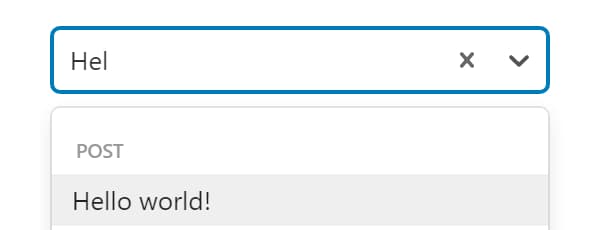
Control Settings
- Filter by Post Type (
posts_post_type) - limit the search to specific post types. Empty by default, which searches every type - Filter by Post Status (
posts_post_status) - limit the search to specific post statuses. Empty by default, which searches every status - Filter by Taxonomy (
posts_taxonomy) - limit the search to posts in specific taxonomy terms, stored astaxonomy:term-slug. Empty by default - Output Format (
posts_output_format) -Post IDby default.Post Objecthands the block a WP_Post instead - Multiple (
multiple) - off by default. On, the control accepts several posts and stores an array
Usage
Single Post Selection
<?php
$selected_post = get_post((int) $attributes['control_name']);
if ($selected_post) {
    echo '<h2>' . esc_html($selected_post->post_title) . '</h2>';
}
?><?php if ($attributes['control_name']) : ?>
<h2><?php echo esc_html($attributes['control_name']->post_title); ?></h2>
<div><?php echo esc_html($attributes['control_name']->post_type); ?></div>
<?php endif; ?>Multiple Posts Selection
<?php
foreach ($attributes['control_name'] as $post_id) {
    $post = get_post((int) $post_id);
    if ($post) {
        echo '<h2>' . esc_html($post->post_title) . '</h2>';
    }
}
?>
Handlebars Usage
Set Output Format to Post Object when using Handlebars templates.
<h2>{{control_name.post_title}}</h2>{{#each control_name}}
<h2>{{this.post_title}}</h2>
{{/each}}Post Meta
<?php
$post_id = get_lzb_meta('control_meta_name');
$post = get_post((int) $post_id);
if ($post) {
    echo '<h2>' . esc_html($post->post_title) . '</h2>';
}
?>
The block stores post IDs either way. Post Object runs the get_posts() call for you as the block renders, so your template reaches post_title without making the query itself.